What you will learn
This article follows a single thread: why current stacks fail under GenAI loads and how managed cloud computing, paired with the right hardware topology, fixes the issue without breaking budgets.
We will:
-
Contrast legacy SQL-plus-firewall setups with the throughput needs of GenAI inference
-
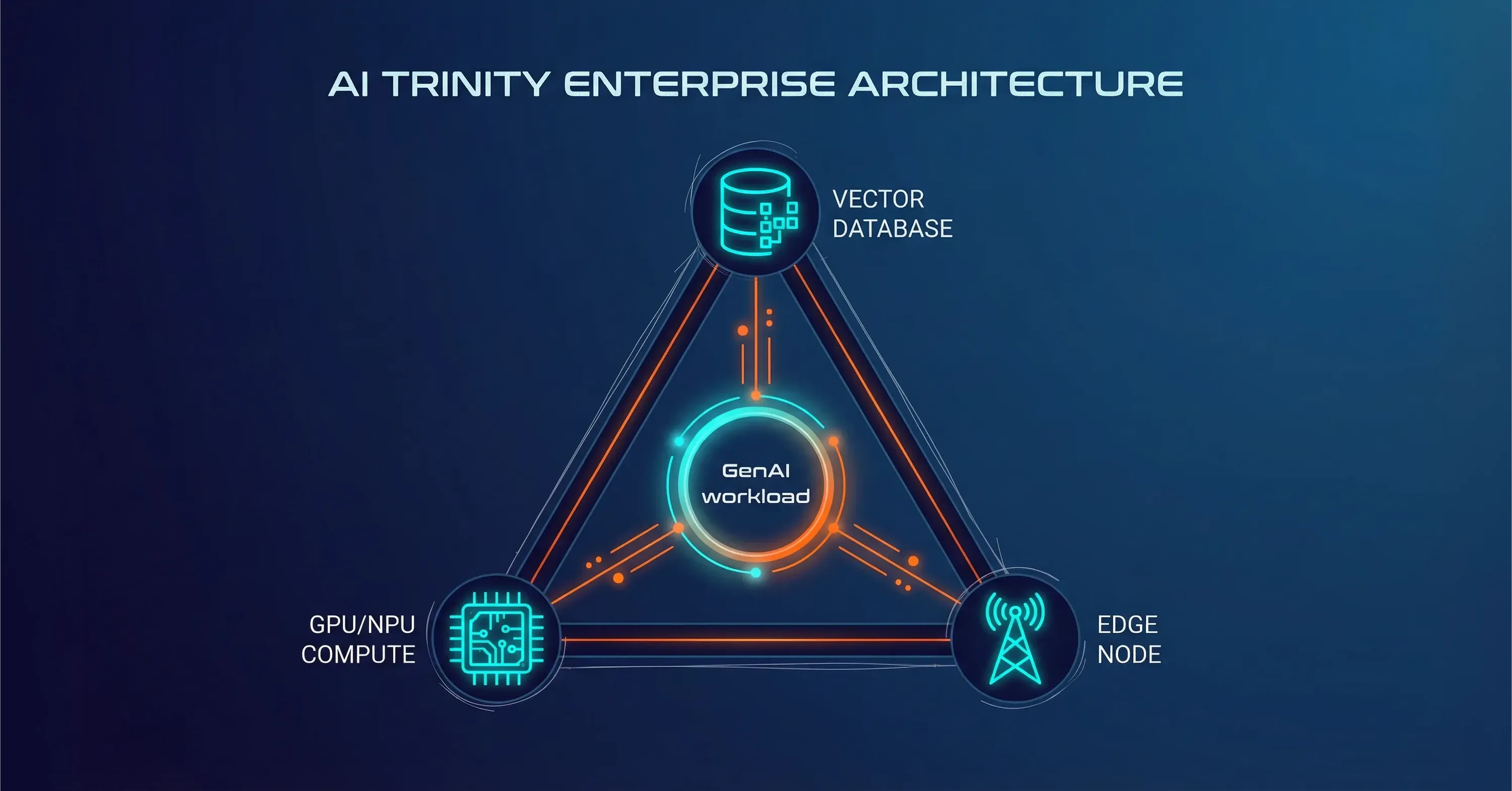
Map the 2025 “AI Trinity” of vector databases, GPUs / NPUs, and edge nodes
-
Show why moving data to the cloud is often slower and pricier than bringing AI to the data
-
Quantify the savings of cloud outsourcing and managed hosting compared with do-it-yourself ops
-
Ground each idea in brief real examples so you can act with confidence
By the end, you will see how a managed model lets your team focus on product features rather than hardware babysitting.
Legacy stacks crumble under GenAI concurrency
Traditional enterprise systems evolved for CRUD workloads: write once, read occasionally. GenAI flips that ratio. Every prompt triggers thousands of vector lookups, token streams, and policy checks inside milliseconds.
-
Standard SQL engines lock rows and serialize commits. With GenAI agents running in parallel, those locks pile up, adding 40-60 ms per query.
-
Legacy next-gen firewalls proxy every call. Deep packet inspection adds another 15-20 ms.
-
Storage arrays cache large blocks, not random 2 kB embeddings, causing thrash.
In isolation these delays feel minor. Chained together they exceed the 100 ms ceiling for conversational flow, turning a “smart” assistant into a stuttering chatbot.
The result is visible: initial demos work at five users, but a sales webinar with 200 prospects crashes the cluster or forces the AI to time out. CIO help-desk tickets spike within hours.
When GenAI Pilots Collapse at Scale
A regional bank launched an AI co-pilot that parsed regulations. During pre-launch tests, the tool answered in two seconds. After a public press release, 1,200 employees hammered it at once. The on-prem SQL server hit 80 % CPU and queue depth rose to 300, causing 20-second replies and automatic chat retries that doubled the load. The pilot was paused after 48 minutes.
Scale bottlenecks appear in the glue components, not the model itself. For a deeper exploration of how cloud architectures help resolve these constraints, see Breaking the Infrastructure Bottleneck: The Cloud Solution Behind a Unified Approach.
Managed cloud computing: the operational shock absorber
Managed cloud computing hands day-to-day upkeep of infrastructure, scaling rules, observability, and patches to a specialist provider. Your team still owns the code and data models, yet someone else keeps the lights on.
-
Elastic capacity: GPU pools expand and shrink in minutes, not weeks
-
24/7 site reliability teams prevent the 3 a.m. pager storm
-
Security baselines and compliance scripts are pre-baked
Demand is booming. The market will climb from $73.9 billion in 2024 to $164.5 billion by 2030 at a 14.3% CAGR, per Research and Markets.
Short lists of immediate wins:
-
Skip procurement waits for GPUs that remain back-ordered
-
Shift capex to opex for easier CFO forecasting
-
Tap SOC2, ISO 27001, and industry audits out of the box
A leading provider of managed IT services, offering comprehensive solutions for infrastructure management, cloud computing, cybersecurity, and business technology optimization, often bundles AI-ready GPU blocks and FinOps dashboards so engineering and finance share one set of numbers.
When someone else optimizes nodes and drivers, engineers move faster and finance gains cost visibility. This bridges technical gaps without new headcount. Learn more about these advantages in What Makes ‘Cloud Technologies’ Different in 2025?
Shared responsibility: what the provider manages - and what the business still owns
Managed cloud computing does not remove accountability from the business. It changes how responsibility is shared. While the provider operates and maintains the underlying infrastructure - including hardware lifecycle, scaling, availability, and security baselines - ownership of data, access policies, and risk decisions remains with the organization.
In practice, this means business and technology leaders still define data classification, residency rules, identity and access management, and compliance requirements. They also retain responsibility for how GenAI models are used, governed, and monitored in production, including bias, output validation, and regulatory alignment. A managed model accelerates delivery and reduces operational load, but strategic control and accountability stay firmly with the business.
The AI Trinity hardware stack for 2025

To serve GenAI at scale you need three pillars working together, not piecemeal retrofits.
-
Vector databases: store embeddings and retrieve semantic context in under 10 ms
-
NPUs/GPUs: execute inference fast, especially mixed-precision math
-
Edge computing: place hot caches and lightweight models within one network hop of users
-
Vector stores like pgvector or dedicated engines hold millions of embeddings and perform approximate nearest neighbor searches.
-
GPUs excel at matrix math. Newer NPUs add AI-specific instruction sets while consuming less power.
-
Edge nodes reduce round trips. A 50 ms round trip falls to under 5 ms when the model shard sits in the metro data center rather than 2,000 km away.
Each element solves a different latency axis. Together they turn sub-second targets from wishful thinking into a contractual goal.
For a practical perspective on building such scalable business infrastructure, check Be Cloud: The Next-Gen Platform for Scalable Business.
Reducing Latency With Edge-Based GenAI
A telemedicine platform distributes lightweight symptom-triage models to 15 metro edge sites. Vector search for recent patient notes happens locally. The model then calls a larger core model in the central cloud. End-to-end latency dropped from 900 ms to 220 ms, enabling near-real-time video consult guidance.
Why moving all data to the cloud backfires
Cloud upload is cheap, but pulling data back costs real money and time. Egress fees average 5-10 cents per gigabyte. At terabyte scales, that dwarfs the GPU bill.
Problems with a cloud-only approach:
-
Petabyte datasets need weeks to copy via network or days with seeding drives
-
Daily syncs choke WAN links, competing with normal traffic
-
Regulatory constraints may forbid certain records from crossing borders
Bringing the AI to the data - through hybrid clouds or modern on-prem gear - avoids both shuttling delays and egress tolls.
Hybrid workflows look like this:
-
Keep raw logs and regulated PII on-prem
-
Ship only derived embeddings or anonymized features to the managed cloud
-
Send model updates back in bulk during low-traffic windows
This minimizes bandwidth and keeps governance officers happy. For granular best practices on balancing cloud and regulatory security, see Balancing Cloud Computing and Cloud Security: Best Practices.
Real-World Compliance Example
A pharmaceutical firm trains models on genomic data, which must remain in country. They installed a GPU pod in the same campus data hall and used the managed cloud only for model registry and global orchestration. Bandwidth dropped 87 %, and compliance audits passed without exception.
The financial lens: cloud outsourcing and managed hosting efficiencies
CFOs care about numbers first. Offloading infrastructure to specialized partners slashes both direct and hidden costs.
Direct savings:
Hidden savings:
-
Fewer outages mean less revenue leakage
-
Shorter procurement cycles increase feature velocity, boosting time to value
The managed hosting market is projected to jump from $140.11 billion in 2025 to $355.22 billion by 2030 at 20.45% CAGR as Mordor Intelligence notes. Boards see the trend and expect IT plans to follow it.
A simple back-of-the-napkin check: a 40-GPU cluster running 24 / 7 costs roughly $1.2 million in cloud fees per year. Owning and hosting the same hardware can hit $2 million once power, cooling, and staff are included. Mixed ownership, where busy-season spikes overflow into managed capacity, often lands 25-35 % cheaper than either extreme.
For additional strategies on optimizing spend and improving operational continuity, explore Cloud Support: How Managed DevOps Keeps Your Business Online 24/7.
Measured Cost Impact in Enterprise Environments
An insurance carrier performed a three-year total cost analysis. Hybrid managed hosting lowered net present cost by 28% compared with staying fully on public cloud and by 42% when compared with building a new data center wing.
Managed cloud computing is not a silver bullet, yet it is the practical bridge between GenAI hype and the hardware reality. It lets you adopt the AI Trinity stack, place compute near data, and meet budget guardrails without rewriting every service.
What Is Managed Cloud Computing?
Managed cloud computing is the practice of delegating day-to-day operation, scaling, and security of cloud or hybrid infrastructure to a specialist provider. The model combines elastic resources, 24 / 7 monitoring, and FinOps insights so organizations can deploy resource-hungry GenAI workloads quickly while containing cost and risk.
Conclusion
GenAI success hinges on low latency, high concurrency, and predictable spend. Legacy stacks falter here. By adopting managed cloud computing, aligning with the AI Trinity, and keeping data where it makes sense, technology leaders gain the reliability users expect and the cost profile boards demand. For further insights on cloud transformation and modern best practices, read What Makes ‘Cloud Technologies’ Different in 2025?. The hype stays, yet the hardware finally keeps up.