Cloud Readiness Assessment: How to Know If Your Business Is Ready to Migrate

Content authorBy Irina BaghdyanPublished onReading time10 min read
Title:
Cloud Readiness Assessment: How to Know If Your Business Is Ready to Migrate

Meta description:
Use this cloud readiness assessment guide to see if you can migrate safely and identify gaps befo

This article is a practical guide to running a cloud readiness assessment before you move any workload off your current setup. It walks through what to audit and how to reach a clear verdict on your business's migration readiness.

Why readiness matters first

A cloud readiness assessment is the work you do before you touch a single server, and skipping it is the most common reason a move to the cloud turns into a mess. You are weighing whether migrating now saves money or creates chaos, and the honest answer depends on facts you probably haven't gathered yet. That gap is where projects fail: 83% of data migration projects either fail or run past their budgets and schedules. The pattern behind those numbers is groundwork that never happened. Applications get moved before anyone maps what they depend on. Budgets get approved before anyone counts the true cost of running two environments at once.

So the point of a cloud readiness assessment is narrow and useful. It answers one question before money is spent: is the business prepared to move? Everything that follows in this guide is the checklist that produces that answer, and each area you examine feeds directly into the decision you have to make.

What a cloud readiness assessment covers

A cloud readiness assessment is a structured review that judges whether your current environment is prepared for an on-premises to cloud migration, from systems and data to security and budget. It is a decision-making exercise. You are figuring out whether to migrate and what has to change first, which is different from the later technical planning stage where architects design the target environment and write the actual migration runbooks.

That distinction matters because it keeps the scope honest. At this point you are not building anything. You are sorting your systems into three buckets:

  • What can move safely with little or no change

  • What needs remediation before it can move

  • What should wait, stay on-premises, or go hybrid

The cloud migration assessment examines your existing infrastructure and the dependencies between your applications, then assesses your security and data protection practices against the real costs on both sides of the move. A proper cloud migration assessment produces a verdict you can act on rather than a vague sense that the cloud is probably a good idea. The rest of this guide is each area in turn, and how the findings from one feed the next.

Auditing your current infrastructure

A vibrant neon infographic depicting a central server stack for 'Infrastructure Audit', surrounded by icons and a bar chart on a deep blue background.

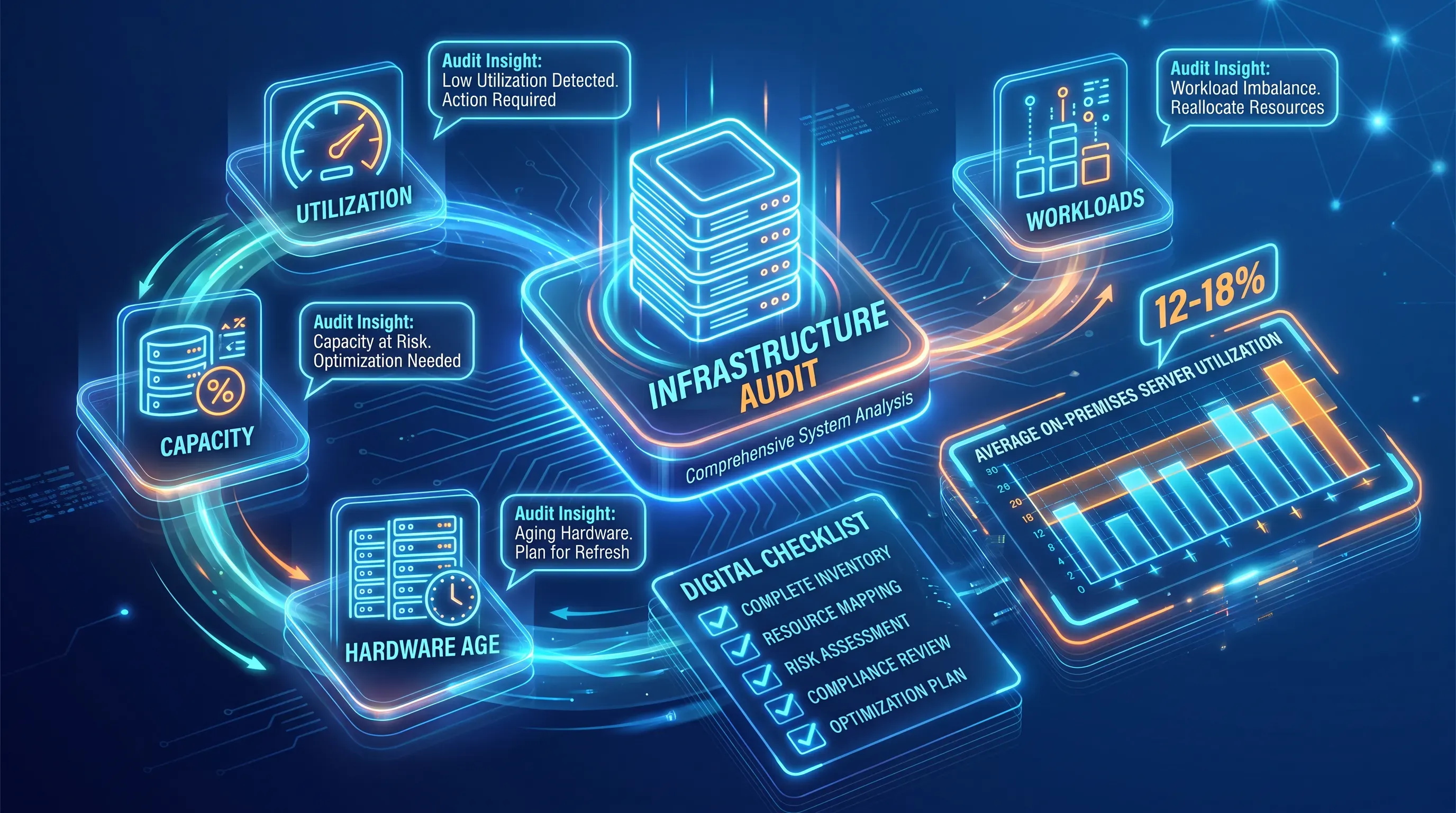
Every honest cloud readiness assessment starts with knowing what you actually run. Start with a live inventory of the infrastructure and workloads that keep the business going right now. Without this baseline, any decision about what to move is a guess.

Document each system with a few concrete data points. Record its capacity and current utilization, the age of the hardware, and where performance already strains under load. Utilization is where the audit surprises people. Research from the NRDC found on-premises servers run at 12 to 18 percent utilization on average, which means a large share of the boxes you are paying to power and cool are doing almost nothing.

That number changes the conversation. A workload sitting idle on aging hardware is a candidate to retire because moving it to the cloud means paying for the same waste. The audit sorts your estate into workloads worth moving and those that should be replaced or switched off entirely. An on-premises to cloud migration built on that clarity avoids carrying dead weight into a place where every running resource shows up on a monthly bill.

Need IT Support?

Book a free consultation with ABS Technologies experts we'll help you find the right managed IT, cloud, or security solution for your business.

Book a Free Consultation

Mapping application dependencies

Applications almost never stand alone. A billing system relies on a customer database, while an authentication service and reporting warehouse also form part of its chain. These links are visible only when something breaks because you moved one piece and left the others behind. Hidden connections like these are among the most common reasons a migration goes sideways.

The scale of the problem is documented. Flexera's 2024 State of the Cloud data showed 54% of organizations named understanding application dependencies as a top migration challenge, ahead of both cost assessment and technical feasibility. Legacy applications carry undocumented connections, and moving one workload breaks another when those links were never written down.

So map them. For each application, record the dependencies it needs to function, including the systems it talks to and the databases it reads and writes. That map is what determines sequencing. If two systems are tightly coupled, they move together or they stay together. If an application depends on a service that isn't ready yet, it waits. Dependency mapping is what turns a pile of workloads into an ordered plan, and it is the direct input to the roadmap you will build later.

Reviewing security and protecting data

The two heaviest risk areas in any cloud migration assessment are security and data protection, and they earn their own separate evaluations. Your job here is to prove that moving does not weaken your defenses or put data at risk during the transition. Gaps you find in this part of the review become the remediation work that has to happen before migration.

This is where a cloud readiness assessment gets uncomfortable, and that discomfort is the point. It is far cheaper to find a weak access policy on paper than to discover it after a breach. What follows are the two reviews to run separately.

Security and compliance review

Start with the controls that decide who can reach what. Evaluate your access controls and identity management, and check how data is encrypted at rest and in transit. Also identify any compliance obligations that dictate where data can legally live and who can touch it. These rules shape what is even permitted to move.

Treat unresolved security gaps as a hard block. The reason is in the breach data: Gartner projects that through 2025, 99% of cloud security failures trace back to the customer rather than the provider, driven mostly by misconfiguration. If your identity and access practices are shaky on-premise, moving them into a cloud environment with a larger attack surface makes the exposure worse. Fix the gap first, then migrate. A clean cloud migration assessment names each security weakness and marks it as remediation the move depends on.

Data protection and recovery

Now assess how you protect the data itself. Review your current backup routines and your disaster recovery plan, including how you verify data integrity. Then decide what has to be in place throughout the move. Define your recovery expectations now, in plain numbers: how much data you can afford to lose and how long you can afford to be down.

Those numbers have to be settled before migration, not discovered mid-outage. And outages are expensive. EMA research found unplanned downtime averages $14,056 per minute across organizations, and the average rises sharply for larger ones. The transition itself is a vulnerable moment, so the protections you define here are what carry the business safely through the cutover rather than leaving it exposed while systems are in flight.

Need IT Support?

Book a free consultation with ABS Technologies experts we'll help you find the right managed IT, cloud, or security solution for your business.

Book a Free Consultation

Planning costs and budget

The fear of a surprise bill is reasonable, and the way to defuse it is to count both sides honestly. Estimate the cost of the move and the monthly cost of running in the cloud afterward. Compare those figures against what on-premise truly costs you today: the maintenance contracts and the hardware refresh you'd have to fund anyway.

Several line items get underestimated. Watch for these:

  • Data transfer charges to move your data into the cloud

  • Refactoring effort for applications that need changes to run well

  • Software licensing that changes or doesn't carry over

  • The cost of running two environments in parallel during the transition

The ongoing number is where discipline pays off. Flexera's 2026 report put estimated wasted cloud spend at 29%, which reverses five years of improvement, and 65% of enterprises exceed their migration budgets by at least 20% according to Gartner's cost data. Those overruns come from thin scoping and weak governance, which is exactly what this stage exists to prevent. If the honest comparison shows the move pays for itself within a reasonable window, that is a green light. If it doesn't, that finding is as valuable as any other.

Migration risks to weigh

Every on-premises to cloud migration carries risk, and naming each one is what separates a confident decision from wishful thinking. The main risks are downtime during cutover and data loss, plus cost overruns caused by skills gaps or applications that perform poorly in the cloud. Your earlier findings have already surfaced most of these.

The skills gap deserves attention. Nearly 90 percent of IT leaders told Deloitte that recruiting and retaining tech talent is an ongoing challenge, and an on-premises to cloud migration demands cloud skills your current team does not yet have. If nobody on staff has run one, rate that risk honestly.

Rate each risk for your specific environment using what the cloud readiness assessment already told you. Your dependency map shows where downtime risk concentrates. Your data protection review shows your exposure to loss. Your budget work shows where overruns are likely. This reality check gives you an accurate view of the effort. Name each risk honestly and the assessment gives you the inputs to plan around them.

Turning findings into a roadmap

Everything you've gathered now converts into a prioritized plan. A roadmap states what moves first and what needs remediation before it can move. It also identifies what stays on-premise and rough timing for each. This is the tangible output the whole cloud readiness assessment was building toward.

Group workloads into waves. A practical order looks like this:

  1. Simple, low-dependency workloads that can rehost with little change and prove the process works

  2. Systems that need light remediation or replatforming, sequenced after their dependencies are ready

  3. Complex applications that require refactoring, plus anything staying on-premise or going hybrid

The AWS 7 Rs framework gives you a vocabulary for tagging each workload according to its migration strategy. It identifies refactor and replatform options. Other options are repurchase or refactor. It also covers retire and retain. Align the wave order with business impact and the dependencies you mapped, so tightly coupled systems move together and quick wins come first. Early rehosting candidates generate savings that help fund the harder refactoring work later. A hybrid outcome is legitimate. Flexera found 73% of organizations run hybrid estates. Some workloads stay off public cloud because of performance requirements or compliance and cost reasons.

Deciding if you are ready

Ready to move — or not sure yet? ABS can tell you. ABS Technologies helps organizations run structured cloud readiness assessments before a single workload moves — covering infrastructure inventory, dependency mapping, security posture, and cost modeling. Book a free cloud readiness assessment with ABS Technologies to turn your findings into a working migration plan

Need IT Support?

Book a free consultation with ABS Technologies experts we'll help you find the right managed IT, cloud, or security solution for your business.

Book a Free Consultation

There isn't a fixed timeline. The work ends when the team has a current inventory, a dependency map, and a documented verdict for every workload. Poor records extend the review because staff must confirm system owners, data flows, and actual resource use before they can classify each workload.

Collect current infrastructure inventories, application diagrams, and operating cost records before the review begins. Include backup and recovery procedures, access-control policies, and compliance requirements. These records give reviewers evidence to compare against interviews and system data, which helps expose undocumented dependencies or budget assumptions.

Yes, a partial move is often the right outcome. A cloud readiness assessment can identify workloads that should remain on-premise because of latency, compliance, or cost constraints. Keep tightly connected systems together, then use clear interfaces and ownership rules for services that operate across both environments.

The assessment is complete when every workload has a disposition and the business can support its decision with evidence. Each item should be marked for migration, remediation, retirement, or retention. The final roadmap should also show dependency order, risk owners, and the prerequisites for the first migration wave.

Ask for outside help when your team can't validate cloud security controls, estimate migration costs, or resolve unclear dependencies. ABS Technologies can review the evidence and identify the remediation work that blocks a safe move. Book a free consultation with ABS Technologies to discuss the assessment findings →

Schedule a Meeting

Book a time that works best for you and let's discuss your project needs.

You Might Also Like

Discover more insights and articles

Title:
Vulnerability Management Services: Finding Security Weaknesses Before Attackers Do

Meta description:
See how vulnerability management services help you find weak spots before attackers and dec

Vulnerability Management Services: Finding Security Weaknesses Before Attackers Do

This article explains what vulnerability management services do and how they help you find security weaknesses before an attacker exploits them. It walks through how vulnerability management services handle the full lifecycle of finding and fixing weaknesses, with priority and monitoring built into that cycle, then shows where a managed service fits and how to judge one provider against another.

Title:
Security Awareness Training: Reducing Human Risk in Cybersecurity

Meta description:
Use security awareness training so you reduce risky clicks and get faster reports from your team.

Article:

Security Awareness Training: Reducing Human Risk in Cybersecurity

This article explains why employee behavior stays risky even after a security awareness training rollout, and how to design an effort that shifts habits instead of filling a compliance log. It walks through the behaviors that create exposure and pairs each with a practical response you can put in place without a dedicated security team.

Title:
Server Management Services: Keeping Critical Business Systems Reliable

Meta description:
See how server management services help you find upkeep gaps and keep business systems dependable.

Art

Server Management Services: Keeping Critical Business Systems Reliable

This article explains what server management services actually cover and how the individual disciplines connect into systems you can depend on. It walks through the core server-maintenance disciplines so you can audit your own environment and see which areas are handled well and which are quietly exposing the business.

Title:
Automating IT Scaling: The Future of Elastic Infrastructure

Meta description:
Discover unclustered methods to automate your IT scaling so you can reduce cloud waste and maintain speed under he

Automating IT Scaling: The Future of Elastic Infrastructure

Automated scaling turns capacity management from a human-triggered task into a continuous system that watches live conditions and allocates resources in real time according to policy. It reads signals like latency and queue depth, then adds or removes capacity in seconds. That shift makes infrastructure respond at machine speed instead of ticket speed.