From Legacy to Cloud: The Shift to On-Cloud Operations

Content authorBy Irina BaghdyanPublished onReading time10 min read
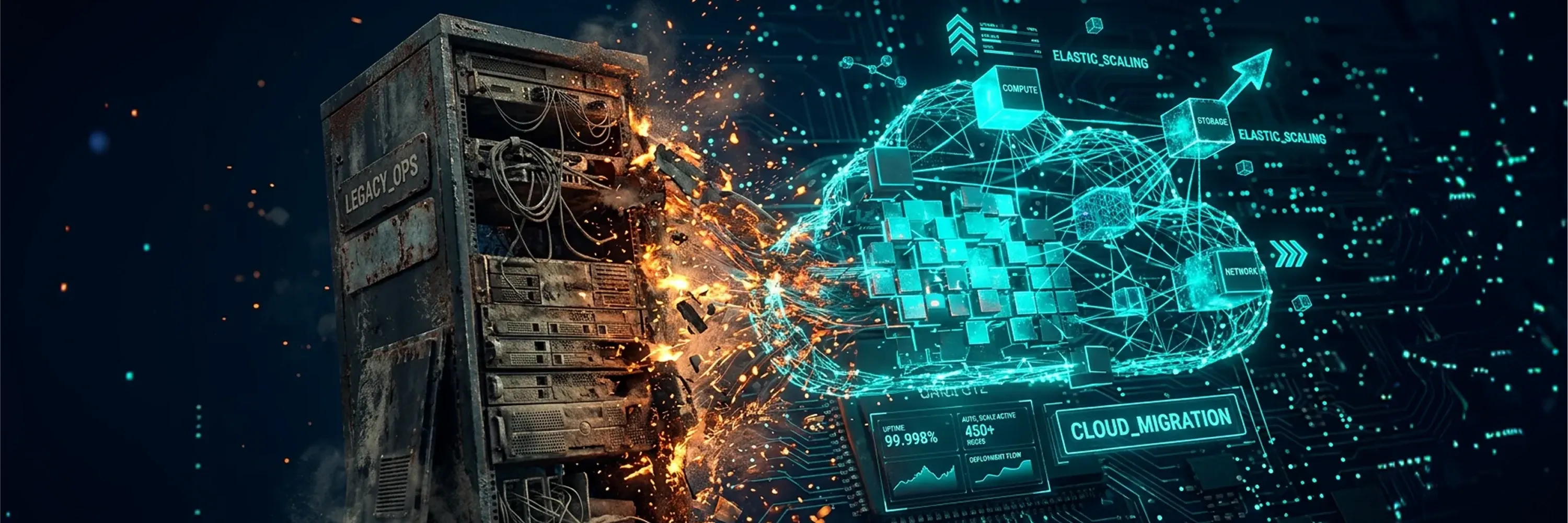
Visual of legacy server infrastructure transforming into cloud computing environment, illustrating cloud migration, elastic scaling, and digital transformation with network and compute resources.

Most organizations know they need the cloud. The real challenge is turning that move into faster, more resilient, and more efficient operations. On-cloud solutions do more than replace legacy infrastructure. They change how teams provision, scale, monitor, and manage services day to day. This article explores what that operational shift looks like in practice, and why migration alone is not enough to deliver better outcomes.

Why Legacy Environments Create Operational Drag

Before exploring how on-cloud solutions change things, it helps to understand why legacy environments hold organizations back. Legacy infrastructure, meaning older systems built around physical servers, fixed licensing, and manual configuration, was designed for predictability. It was never built for the pace and complexity of modern business.

Teams running legacy environments often face a common set of constraints:

  • Provisioning new capacity takes weeks or months, not minutes

  • Scaling up requires purchasing and installing physical hardware

  • Maintenance windows create regular service disruptions

  • Patching, monitoring, and incident response depend heavily on manual effort

  • Integrating new tools or services with rigid architectures is slow and expensive

These limitations do not just slow IT down. The entire business slows with it. When infrastructure cannot keep pace with demand, product launches stall, customer experience suffers, and teams spend more time maintaining systems than improving them.

This is precisely where on-cloud solutions enter the picture, not as a simple replacement for old hardware, but as a different way of running operations altogether. For organizations seeking a foundational understanding of cloud options, migration pitfalls, and practical operating models, see What Is Cloud Infrastructure? A Beginner’s Guide to Cloud Computing.

What Organizations Usually Underestimate

Most organizations underestimate how much the cloud transition affects people and processes, not just technology. Teams assume that once workloads move, operations improve automatically. In practice, the opposite often happens first: new tooling exposes gaps in ownership, decision-making, and accountability that legacy environments had obscured for years. Cloud infrastructure moves fast; organizations that have not redesigned their operating model to match will find that speed creates chaos rather than efficiency.

How Operating Responsibilities Change

In legacy environments, infrastructure teams own the stack end to end - hardware, networking, storage, and deployment. In cloud environments, that model breaks down. Platform teams shift to building and governing shared services, while product and application teams take on direct responsibility for deploying, monitoring, and scaling their own workloads. This handoff is one of the most common sources of friction during migration: ownership boundaries that were clear on-premises become ambiguous in the cloud until new operating agreements are established.

How Teams Measure Success

Legacy operations are typically measured by uptime and ticket resolution time. Cloud operations require a different set of metrics. The most mature cloud teams track: deployment frequency, change failure rate, mean time to recovery, infrastructure provisioning time, cloud cost per workload, and environment consistency and drift rate. Without these metrics in place, it is difficult to know whether cloud operations are actually improving or simply running on newer infrastructure.

Need IT Support?

Book a free consultation with ABS Technologies experts we'll help you find the right managed IT, cloud, or security solution for your business.

Book a Free Consultation

How On-Cloud Solutions Reshape Day-to-Day Operations

The most important thing to understand about cloud operations is that the value is not in the infrastructure itself. It is in the operating model that cloud infrastructure enables. When teams move to on-cloud solutions, they gain the ability to manage workloads, deploy services, and respond to change in fundamentally different ways.

Cloud-based operations introduce several practical shifts:

  • Faster provisioning: New environments spin up in minutes through automation, removing bottlenecks that once took weeks

  • Elastic scaling: Resources grow and shrink based on real-time demand, so teams stop over-purchasing capacity "just in case"

  • Reduced maintenance overhead: Cloud providers handle hardware upkeep, patching, and much of the underlying security, freeing internal teams to focus on higher-value work

  • Greater visibility: Centralized dashboards and monitoring tools give operations teams a clear view across all environments, whether cloud-native, hybrid, or multi-cloud

  • Built-in redundancy: Cloud platforms offer automated failover and disaster recovery capabilities that are expensive and complex to build on-premises

These changes are not abstract. They affect how teams coordinate across development, operations, security, and business functions every single day. Cloud computing enables faster time to market, simplified innovation and scalability, and reduced risk compared to legacy platforms, while giving organizations access to advanced analytics that older systems simply cannot support.

The result is an operating model where responsiveness replaces rigidity. Teams can deploy services faster, experiment with less risk, and adjust resource allocation without filing procurement requests. To understand how modern DevOps teams are using cloud as a delivery strategy - balancing rapid deployments with observability and automation across environments - read How Are DevOps Teams Using the Cloud Differently Today?.

Planning and Executing the Migration Without Disruption

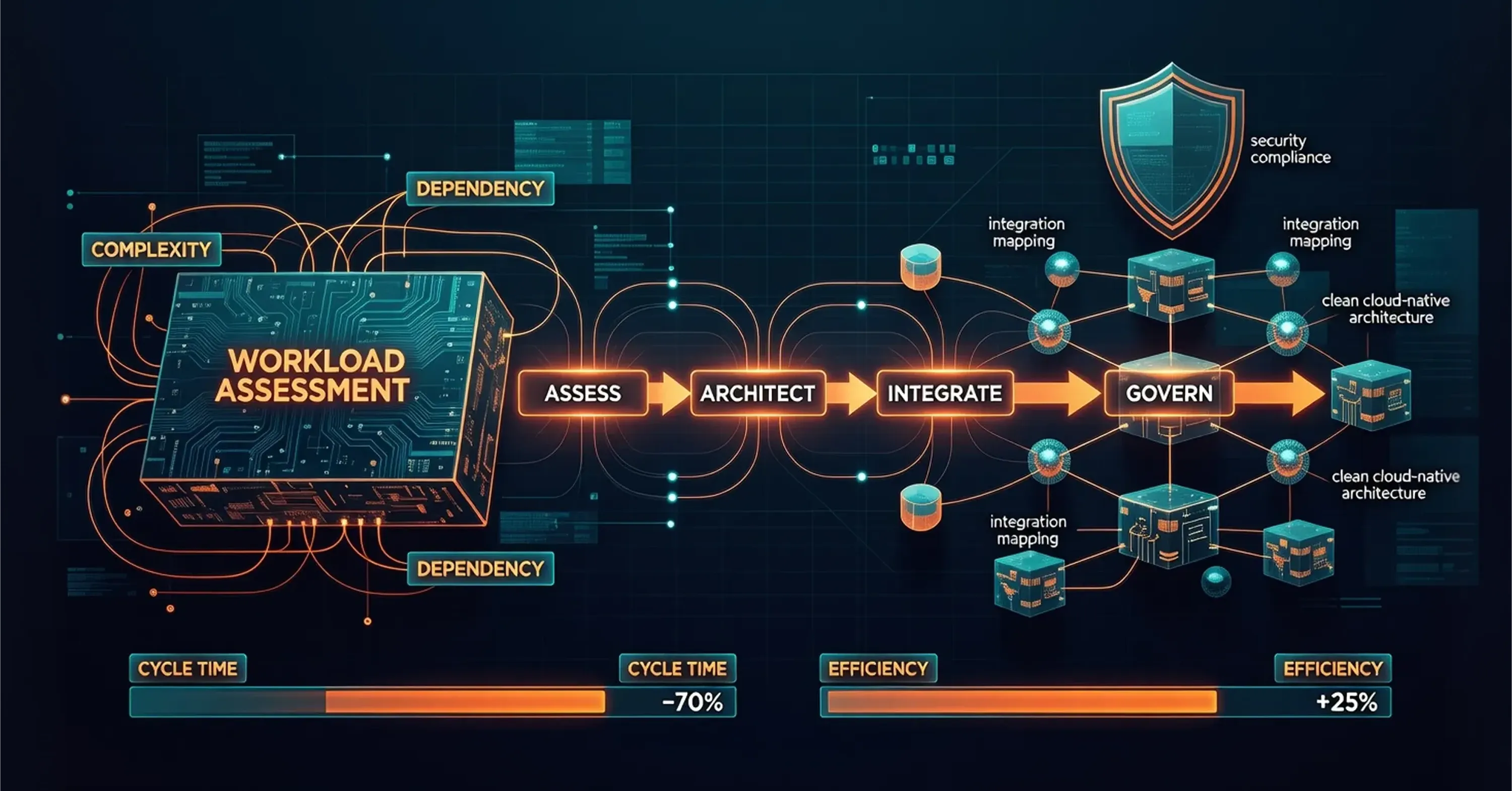
workload-assessment-cloud-migration-architecture-integration-governance

Understanding the benefits is one thing. Getting there without breaking what already works is another. Many organizations operate in hybrid or transitional states for months or even years during a cloud migration. This makes planning, workload assessment, and integration strategy critical.

A well-executed migration typically follows a structured sequence:

  • Workload assessment: Not every application belongs in the cloud. Teams evaluate each workload based on complexity, dependencies, performance requirements, and business criticality.

  • Architecture decisions: Some applications can be "lifted and shifted" with minimal changes. Others need to be refactored, meaning redesigned to take advantage of cloud-native capabilities like containerization and microservices.

  • Integration mapping: Cloud services must connect reliably with existing systems, databases, and business-critical processes. Poor integration leads to data silos and broken workflows.

  • Governance and security: Moving to the cloud does not eliminate the need for controls. Organizations must define policies around access, data residency, compliance, and cost management from the start.

One common mistake is treating migration as a purely technical project. In practice, the organizations that see the strongest results are those that transform their operating model alongside the migration itself. Companies that do both can increase operational efficiencies by 20 to 25%, reduce cycle times up to 60 to 70%, and improve resilience and security of their applications by more than 30%.

For a robust breakdown of workload assessment, cloud architecture decisions, and steps to avoid the pitfalls of cloud transitions, explore Cloud Architecture Design: Building Scalable and Secure Cloud Architectures.

This is where partners with deep infrastructure and cloud expertise become valuable. A managed IT services provider, for instance, can help organizations navigate workload assessments, design integration architectures, and maintain business continuity during complex transitions, reducing the risk that migration creates more problems than it solves.

Need IT Support?

Book a free consultation with ABS Technologies experts we'll help you find the right managed IT, cloud, or security solution for your business.

Book a Free Consultation

Migration Models: Choosing the Right Approach

Not all workloads move the same way. The four most common migration patterns are: rehost (lift and shift - move the workload as-is), replatform (make targeted optimizations without redesigning), refactor (redesign for cloud-native capabilities like containers), and retain (keep certain workloads on-premises where migration does not yet make sense). Choosing the wrong model for a given workload is one of the most common and costly migration mistakes.

Hybrid environments deserve particular attention. Running workloads across on-premises and cloud simultaneously creates operational complexity that is easy to underestimate. Teams must manage two sets of tooling, two security perimeters, and two sets of processes. Organizations in extended hybrid states need explicit governance over who owns what, how incidents are triaged across environments, and how costs are tracked.

Building Resilience, Observability, and Long-Term Adaptability

Once workloads are running in the cloud, the operational focus shifts from migration to optimization. This is where many organizations discover the deeper advantages of on-cloud solutions: improved observability, stronger disaster recovery, and the ability to adapt continuously.

Observability, meaning the ability to understand what is happening inside your systems based on their outputs, is significantly easier in cloud environments. Cloud platforms provide native logging, tracing, and monitoring tools that give operations teams real-time insight into performance, errors, and resource usage across distributed systems.

Disaster recovery also improves substantially. Cloud-based backup and replication services allow organizations to recover from outages faster and with less data loss than traditional on-premises approaches. In many cases, recovery processes can be automated entirely, reducing the human error that often compounds incidents.

For a deeper look at how cross-cloud architectures and modern platforms power truly resilient, observable, and scalable operations, see Be Cloud: The Next-Gen Platform for Scalable Business.

Perhaps most importantly, on-cloud operations support long-term adaptability. As business needs change, cloud environments can be reconfigured, expanded, or restructured without the capital expense and lead times that legacy infrastructure demands. This flexibility extends to emerging capabilities as well: 42% of respondents in a recent survey reported that cloud migration helped introduce AI or machine learning into their innovation processes, showing that the cloud also serves as a platform for future capability.

None of this happens automatically. Resilience, observability, and adaptability require intentional architecture decisions, disciplined governance, and ongoing investment in operational maturity.

What On-Cloud Operations Actually Look Like

On-cloud operations look different from legacy management in ways that go beyond technology. Ownership shifts: platform and infrastructure teams move from maintaining hardware to governing policies, guardrails, and shared services that product teams consume on demand. Operating processes change too - instead of change management boards approving deployments over weeks, teams ship through automated pipelines with built-in testing and rollback.

Success is measured differently as well. Metrics like deployment frequency, mean time to recovery, and change failure rate replace uptime SLAs as the primary indicators of operational health. Organizations that struggle most in this transition are typically those that adopt cloud tooling without redesigning these underlying processes - replicating old approval chains and manual handoffs inside a new environment.

The most common failure points are predictable. Teams migrate workloads without updating ownership agreements, leaving no clear owner when incidents happen. Monitoring is treated as an afterthought rather than a requirement, so problems surface only after users report them. Cost management is ignored until cloud bills arrive, at which point sprawl is already difficult to reverse. And security controls that worked on-premises are not automatically carried over - organizations that skip this step often discover the gap during an audit or an incident, not before.

Mature cloud operations require sustained investment in three areas: automation that eliminates repetitive manual work, observability that surfaces problems before they become incidents, and a culture where teams own their services end to end rather than handing off between siloed functions.

Conclusion

A mature cloud operating model has a few recognizable characteristics. Deployments happen frequently and with low risk, because automation handles testing and rollback. Incidents are detected and resolved quickly, because observability is built into every service. Teams own their services end to end, without handoffs between siloed functions. Infrastructure costs are visible and attributed to specific workloads.

Organizations that reach this state did not get there by migrating faster. They got there by treating the operating model as the product, and investing in it with the same discipline they apply to the applications running on top of it.

Need IT Support?

Book a free consultation with ABS Technologies experts we'll help you find the right managed IT, cloud, or security solution for your business.

Book a Free Consultation

On-cloud solutions redefine operations by replacing rigid, hardware-dependent infrastructure with flexible, software-driven models. This enables faster provisioning, elastic scaling, automated recovery, better observability, and reduced manual overhead, allowing teams to focus on delivering value rather than maintaining systems.

No. Migration alone does not guarantee better outcomes. Real operational improvement requires changes to the operating model, including governance, automation, team coordination, and architecture decisions that take full advantage of cloud capabilities.

The most common challenges include workload assessment complexity, integration with existing systems, maintaining business continuity during migration, establishing governance and security policies, and ensuring teams have the skills and processes to operate effectively in a cloud environment.

Cloud platforms offer automated backup, replication, and failover capabilities that allow organizations to recover from outages faster and with less data loss than traditional on-premises approaches. Many recovery processes can be fully automated, reducing the risk of human error during incidents.

Yes. Most organizations operate in hybrid or transitional states for extended periods. Success in hybrid environments depends on consistent architecture, strong integration between cloud and on-premises systems, clear data governance, and unified monitoring across all environments.

Schedule a Meeting

Book a time that works best for you and let's discuss your project needs.

You Might Also Like

Discover more insights and articles

Title:
DevOps Services: How to Choose Advisory, Implementation or Managed Delivery

Meta description:
Select the right devops services model for your business so you can speed up your releases and con

DevOps Services: How to Choose Advisory, Implementation, or Managed Delivery

Deployment broke at the worst possible time. Hire fell through. Your team hit a scaling wall it couldn't code its way out of. That's usually where the search starts, and where it goes wrong: most buyers compare providers by price and buzzwords, then discover months later that "DevOps support" meant five different things to five different vendors. Most enterprises don't pick one model and stay there. The choice also isn't just a technical one. A CFO weighs CAPEX against OPEX. Managed delivery and dedicated teams convert unpredictable hiring, onboarding, and attrition costs into a fixed operating line, fast. Filling a senior DevOps role internally routinely takes several months once sourcing, interviews, and negotiation are counted, against a matter of weeks to stand up an external engagement.

Title:
Platform Engineering: When Growing Teams Need an Internal Developer Platform

Meta description:
With platform engineering, you can decide if your software team needs an internal developer platf

Platform Engineering: When Growing Teams Need an Internal Developer Platform

Platform engineering only makes sense once your developers are spending more time fighting infrastructure than shipping features. Most conversations about this stop at two options: build a dedicated internal platform team, or lean on lightweight templates and off-the-shelf tools. For a large slice of mid-sized organizations, neither answer fits. Between the DIY extreme and the full internal build sits a third path: an MSP-delivered platform that gives you the capabilities of an enterprise platform team without the headcount. A common misconception is that it's a rebrand for ops, but in reality, platform engineering gives you a concrete way to test whether your organization needs an internal development platform.

Title:
Cloud Readiness Assessment: The Step Businesses Should Take Before Migration

Meta description:
Before you migrate, this How-to guide helps you find cloud readiness gaps and plan a safer move.

Site Reliability Engineering: A Practical Operating Model for Faster, Safer Delivery

This article lays out site reliability engineering as an operating model that balances reliability against delivery speed. It walks through the building blocks and ownership, then explains when a dedicated function is worth the investment.

Title:
Cloud Readiness Assessment: How to Know If Your Business Is Ready to Migrate

Meta description:
Use this cloud readiness assessment guide to see if you can migrate safely and identify gaps befo

Cloud Readiness Assessment: How to Know If Your Business Is Ready to Migrate

This article is a practical guide to running a cloud readiness assessment before you move any workload off your current setup. It walks through what to audit and how to reach a clear verdict on your business's migration readiness.