Deployment Automation: From Continuous Delivery to Safe Releases

Content authorBy Irina BaghdyanPublished onReading time6 min read
A glowing neon infinity symbol represents the DevOps cycle, surrounded by futuristic digital elements in a high-tech blue server-room environment.

Deployment automation moves a tested, versioned artifact through environments with repeatable controls, verification, and recovery. A complete workflow records what is being released, applies the required approval policy, supplies configuration safely, checks target health, and stops or reverses the change when verification fails.

Continuous delivery versus continuous deployment

Continuous delivery keeps software in a releasable state and may retain a manual business approval before production. Continuous deployment automatically releases every change that passes the defined pipeline. Both rely on strong automation; the difference is whether a production decision remains manual.

Continuous delivery keeps software in a deployable state and makes release a repeatable decision; continuous deployment automatically releases changes that pass the required checks. Microsoft's continuous-delivery overview also describes progressive exposure techniques that reduce the impact of a faulty release.

The deployment automation reference flow

  1. Commit and review. Link the change to an owner and require the appropriate review.

  2. Build once. Create a versioned artifact with provenance and integrity metadata.

  3. Test and scan. Run functional, security, policy, and quality checks appropriate to the risk.

  4. Prepare configuration. Resolve environment configuration and secrets without rebuilding the artifact.

  5. Deploy progressively. Move the same artifact through environments or controlled production cohorts.

  6. Verify health. Evaluate technical signals and business indicators against explicit thresholds.

  7. Promote, pause, or roll back. Automate the safe action when thresholds are met or breached.

  8. Record evidence. Preserve artifact, approval, configuration version, deployment event, and outcome.

Automate the complete path, but retain risk-appropriate controls. AWS recommends automating build, test, deployment, and rollback processes to improve consistency and reduce manual error. AWS Well-Architected DevOps guidance

Controls matrix

ControlAutomation requirementOwner question
Artifact integrityVersion and verify the exact artifact promotedCan we prove what is running?
ApprovalsUse policy-based gates with named accountable rolesWhich changes require human judgment?
SecretsRetrieve at runtime from an approved storeCan a pipeline log expose a secret?
Infrastructure as codeReview and apply repeatable environment definitionsHow is drift detected and corrected?
Progressive deliveryLimit exposure while health is assessedWhat cohort and duration are sufficient?
VerificationEvaluate service and business health automaticallyWhich signal can stop promotion?
Rollback or roll-forwardPredefine recovery and data-compatibility rulesCan the previous version operate safely?
Audit evidenceRetain who, what, when, configuration, and outcomeCan an incident or audit reconstruct the release?

Need IT Support?

Book a free consultation with ABS Technologies experts we'll help you find the right managed IT, cloud, or security solution for your business.

Book a Free Consultation →

Automation building blocks

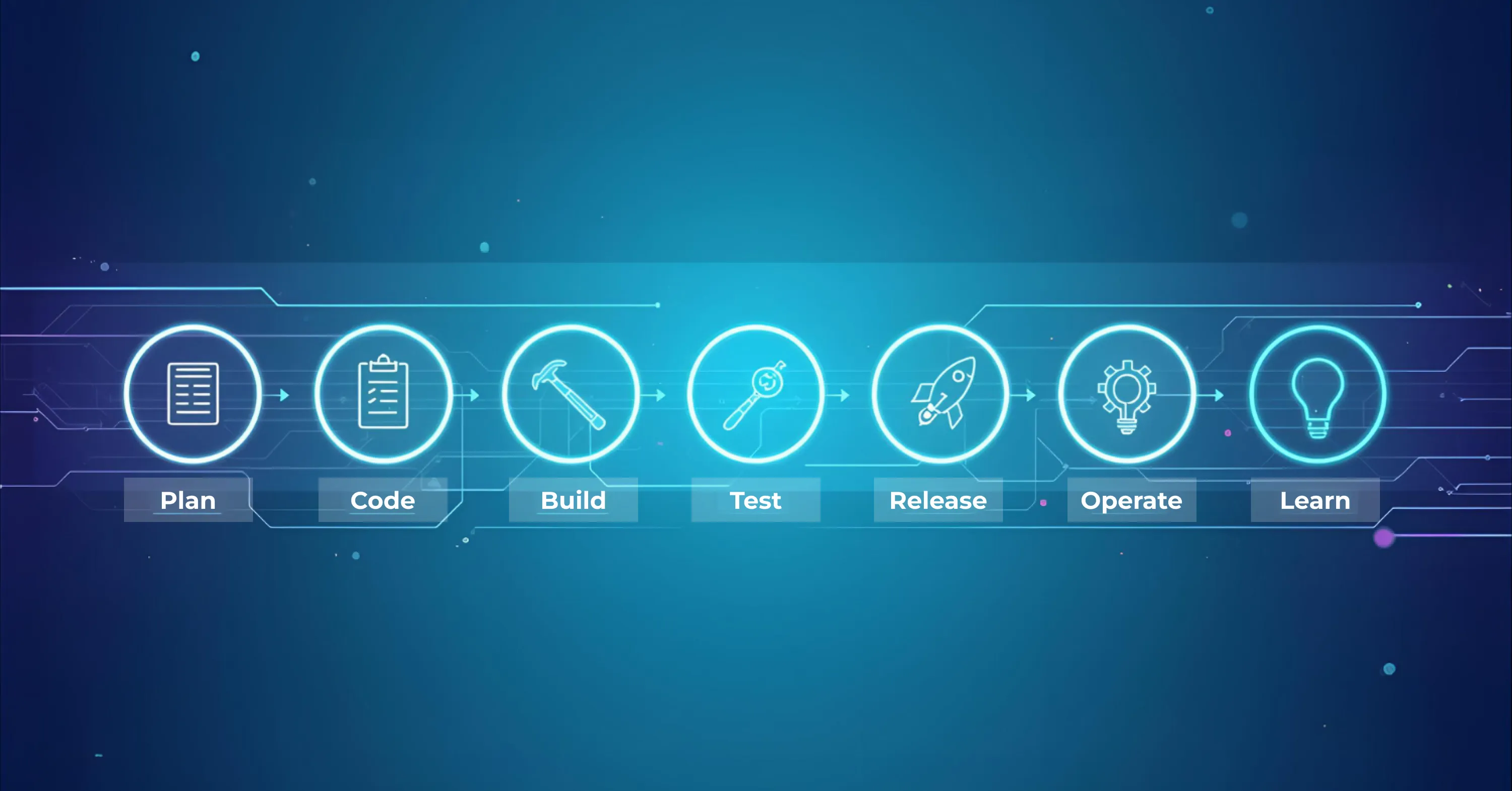
A glowing futuristic DevOps workflow diagram shows the stages Plan, Code, Build, Release, Operate, and Learn connected in a horizontal neon line.

Every automated pipeline follows the same high-level flow: plan, code, build, test, release, operate, learn. The devil is in the details, especially across hybrid estates.

1. Source Control and Issue Tracking

Version control is table stakes, but the integration layer makes or breaks traceability.

  • GitHub, GitLab, or Bitbucket with pull-request policies

  • Jira or Azure Boards auto-linked to commits

  • ChatOps bots surfacing status inside Slack or Teams

Tie code to business outcomes up front and the rest of the pipeline inherits that clarity.

2. Continuous Integration Engines

CI servers compile, scan, and unit-test each commit.

  • Jenkins: open and extensible, ideal for custom plugins

  • GitLab CI: integrated SCM, CI, and security scanning

  • CircleCI: cloud-native elasticity for spike workloads

Adopt containerised build agents to keep runtimes consistent and avoid the dreaded “works on my machine” syndrome.

3. Artifact Management

A central repository prevents “jar-file roulette” across teams.

  • Docker Hub or Amazon ECR for images

  • JFrog Artifactory or GitHub Packages for language-specific builds

Automate retention policies so stale images do not bloat storage bills.

4. Infrastructure Automation Layer

This is where tech devops shines. Declarative IaC plus orchestration brings environments up in minutes.

  • Terraform or Pulumi provision AWS, Azure, GCP, and on-prem VMs in one plan

  • Ansible or SaltStack configure OS-level settings, firewalls, and middleware

  • Kubernetes manifests or Helm charts spin up microservices anywhere

5. Continuous Delivery & Deployment

Deploy code automatically once tests pass, with guardrails for higher environments.

  • Spinnaker or Argo CD for progressive delivery (blue-green, canary)

  • GitOps model: desired state lives in Git, agents reconcile it

  • Policy-as-code gates via Open Policy Agent ensure compliance

For practical guidance on building robust automation layers and the business case for managed pipelines, refer to ABS’s Cloud Services and DevOps overview.

6. Observability & Feedback

Automation is incomplete without data loops.

  • Prometheus or Datadog metrics feed dashboards

  • OpenTelemetry traces map request paths across services

  • PagerDuty or Opsgenie route alerts to the right team, with auto-generated runbooks

Close the loop by pushing incident data back into retrospectives and Jira tickets.

Each layer on its own saves minutes. Together they cut days off release timelines.

Need IT Support?

Book a free consultation with ABS Technologies experts we'll help you find the right managed IT, cloud, or security solution for your business.

Book a Free Consultation →

Rollout and rollback patterns

A rolling update gradually replaces instances and suits many stateless services. Blue-green deployment maintains two environments and switches traffic after validation, which simplifies reversal but can increase infrastructure and data-change complexity. Canary deployment exposes a small cohort first and requires reliable segmentation and health signals. Feature flags separate code deployment from feature exposure but add lifecycle and testing obligations.

Choose the pattern based on failure cost, state compatibility, traffic control, observability, and operating skill. No rollout strategy compensates for an untested recovery path.

Security and compliance

Security teams fear speed, but automated DevSecOps flips that narrative.

  • Static Application Security Testing (SAST) kicks off during CI, blocking high-severity flaws.

  • Dynamic testing and container scans run on ephemeral test environments, then teardown.

  • Secret-scanning bots prevent hard-coded keys from ever hitting Git.

GitLab’s 2024 survey shows 78% of DevSecOps pros already use or plan to use AI to further automate code review and remediation suggestions Global DevSecOps 2024.

When controls are codified, compliance becomes a settings file, not a month-end scramble. To see how to embed robust security from day one, check out Information Security.

A 30-day adoption plan

Week 1: Map one current deployment, its hand-offs, failure modes, evidence, and recovery steps. Select a service with meaningful value but manageable risk.

Week 2: Build one immutable artifact and automate deployment to a non-production environment. Move configuration and secrets out of manual steps.

Week 3: Add health verification, policy gates, and a tested rollback or roll-forward path. Run failure drills for a bad artifact, unavailable dependency, and failed health check.

Week 4: Pilot a controlled production release, review lead time and recovery evidence, and document ownership. Expand only after the team can operate the workflow without its original author.

Measure the delivery system, not only the number of deployments. Track lead time, deployment frequency, change failure rate, recovery time, queue and approval time, rollback success, and manual intervention. Segment by service and release risk so averages do not hide unstable workloads.

Metrics and ownership

Track deployment frequency, lead time for changes, change failure rate, recovery time, queue time, manual touches, and rollback success. Interpret them together: higher frequency is not a win if failures or recovery time deteriorate. Assign owners for the pipeline, platform, service, security policy, release decision, and incident response.

Deployment automation is successful when the team can release a known artifact through repeatable controls, detect an unhealthy result, recover safely, and reconstruct the decision afterward.

Need IT Support?

Book a free consultation with ABS Technologies experts we'll help you find the right managed IT, cloud, or security solution for your business.

Book a Free Consultation →

Continuous delivery keeps a tested change ready for release, with production deployment triggered by a business or approval decision. Continuous deployment automatically releases every change that passes the required pipeline controls.

Use manual approval where the risk, regulation, customer impact, or irreversibility justifies it. The build, test, evidence collection, artifact promotion, deployment mechanics, verification, and rollback preparation should still be automated as far as practical.

It exposes a change to a limited audience or environment first, evaluates defined health signals, and expands only when those signals remain acceptable. Canary, ring, and blue-green strategies are examples; each needs a tested stop and rollback path.

Use immutable versioned artifacts, backward-compatible data changes where possible, health checks tied to user impact, clear thresholds, observability, and a tested previous version. Some database and external side effects require remediation rather than a simple rollback.

Track lead time, deployment frequency, change failure rate, recovery time, approval and queue time, rollback success, and manual interventions. Pair speed metrics with reliability and customer-impact measures.

Schedule a Meeting

Book a time that works best for you and let's discuss your project needs.

You Might Also Like

Discover more insights and articles

Automated manufacturing production line with industrial machinery, conveyor systems, and digital monitoring equipment

GitHub Actions Reusable Workflows: Standardize Delivery Without Blocking Teams

Copy-pasted pipelines drift. Across a large GitHub organization, every duplicated workflow becomes a separate place to patch, audit, and get wrong. Replace them with a centrally maintained set of GitHub Actions reusable workflows, structured so teams can adopt them without friction. Pair that structure with a governance model that keeps shadow pipelines from creeping back in.

Modern smart factory with automated industrial machinery, production equipment, and digital manufacturing systems

Replica count changes with load

Routine Kubernetes maintenance should not put business-critical services at risk. Yet poorly configured Pod Disruption Budgets (PDBs) can delay upgrades, block infrastructure maintenance, and increase the risk of service interruptions. For organizations running production workloads, managing PDBs is not simply a Kubernetes configuration task. It is part of maintaining service availability, operational resilience, and predictable infrastructure operations. This guide explains how to configure, validate, and monitor PDBs to support reliable Kubernetes maintenance.

Industrial automation control system with connected electrical components and data infrastructure

Software Supply Chain Security: Controls That Protect Code from Commit to Production

Every step between a developer's commit and a running production workload is a place an attacker can intervene: a poisoned dependency, a tampered build, a stolen pipeline credential, an unsigned image. Mapping these attack paths end to end shows which control interrupts each one and where a single control covers several paths at once. Because funding every control at once is rarely possible, a ranking method then orders the work by the risk each control removes, so limited budgets go first to the gaps attackers are most likely to use.

Business team viewing a digital technology network and interconnected data systems in a modern corporate environment

GitHub Actions Self-Hosted Runners: Secure Architecture and Autoscaling Patterns

Self-hosted GitHub Actions runners give teams control over cost and environment, but they also put build infrastructure inside the trust boundary, where a single compromised workflow can reach internal systems. A defensible architecture starts by naming the threats runners introduce, then applies controls that contain them: ephemeral runners, default-deny network isolation, and short-lived workload identity in place of stored cloud credentials. Scaling models sized to real demand keep capacity honest rather than padded. A cost model and a migration path off persistent runners complete the case, laid out so engineering and finance can review and approve it in a single meeting.